
Messy spreadsheets
Hard to manage during field work and easy to break.
Mobile invoicing · field teams
Offline drafts, branded PDFs, WhatsApp share—free to download.
WinnerInvoice helps freelancers, tradespeople and field teams invoice customers and create estimates from a phone—even with weak signal. Offline drafts, multiple languages and currencies, WhatsApp or email PDF sharing, quick quote-to-invoice flow, and optional try-before-you-signup — with plans that grow from free tiers to subscriptions.
 WhatsApp share
The challenge
Manual spreadsheets, damaged paper notes, delayed invoices, missing customer records and no-internet job sites create avoidable friction for service professionals.
Hard to manage during field work and easy to break.
Job details get lost, damaged or sent too late.
Late documents delay payment and reduce trust.
Work should continue when the job site has weak signal.
Why WinnerInvoice
The product is built around one high-value action: create a professional document and send it to the customer, without turning a small business into an accounting department.
Clean PDF invoices and estimates designed for customer-facing use.
Draft on-site and share later when the connection returns.
Send by WhatsApp or email with a practical mobile-first flow.
Designed for speed
~2 min
Typical path to first PDF preview (varies by job)
3 steps
Create, preview and share
Optional
Try core flows before full signup
Product depth
Every module targets speed in the yard, showroom, client's kitchen or motorway services lane—documents stay consistent so finance reviews stay painless.
Keep invoicing flowing as you move beyond spreadsheets—plan limits and features are described in the app.
Layouts stay consistent so finance teams can review exports easily and counterparties recognise your brand.
Capture lines when connectivity dips—sync politely once radios stabilise.
Hand off PDF through WhatsApp and email workflows without clumsy uploads.
Stop retyping totals when customers accept—you convert structured estimates cleanly.
Reference prior jobs, locales, identifiers and multilingual notes collaboratively.
Use multiple languages and currencies with locale-aware numbering and formats. You remain responsible for tax and invoicing rules in your market.
Explore core flows first when you prefer not to create a full account right away.
Inside the app
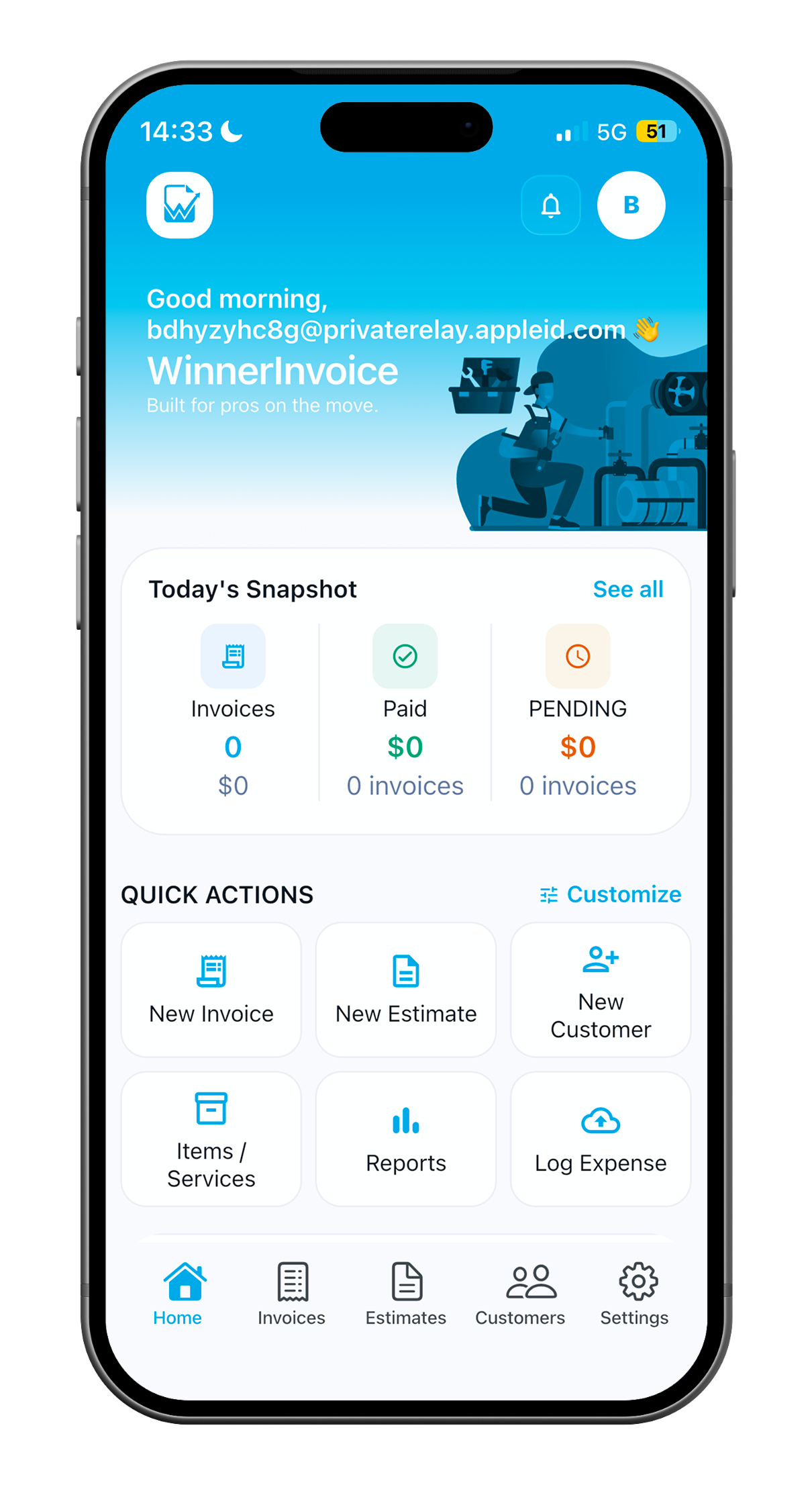
The screen system shows the full journey: invoice, estimate, PDF preview, share options, customer history, payment status, reports, branding, onboarding and settings.
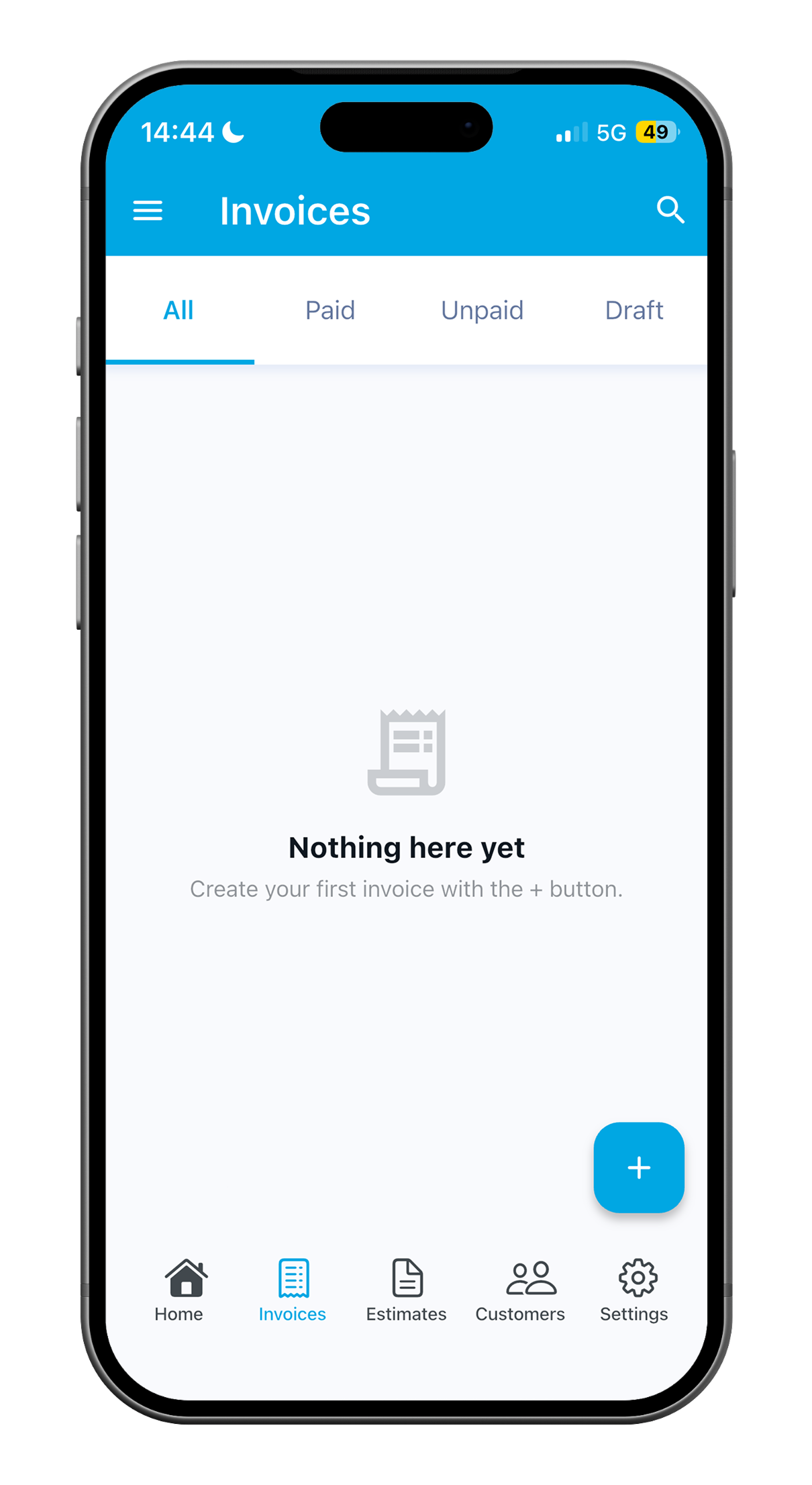
Minimum fields first, advanced details only when needed.
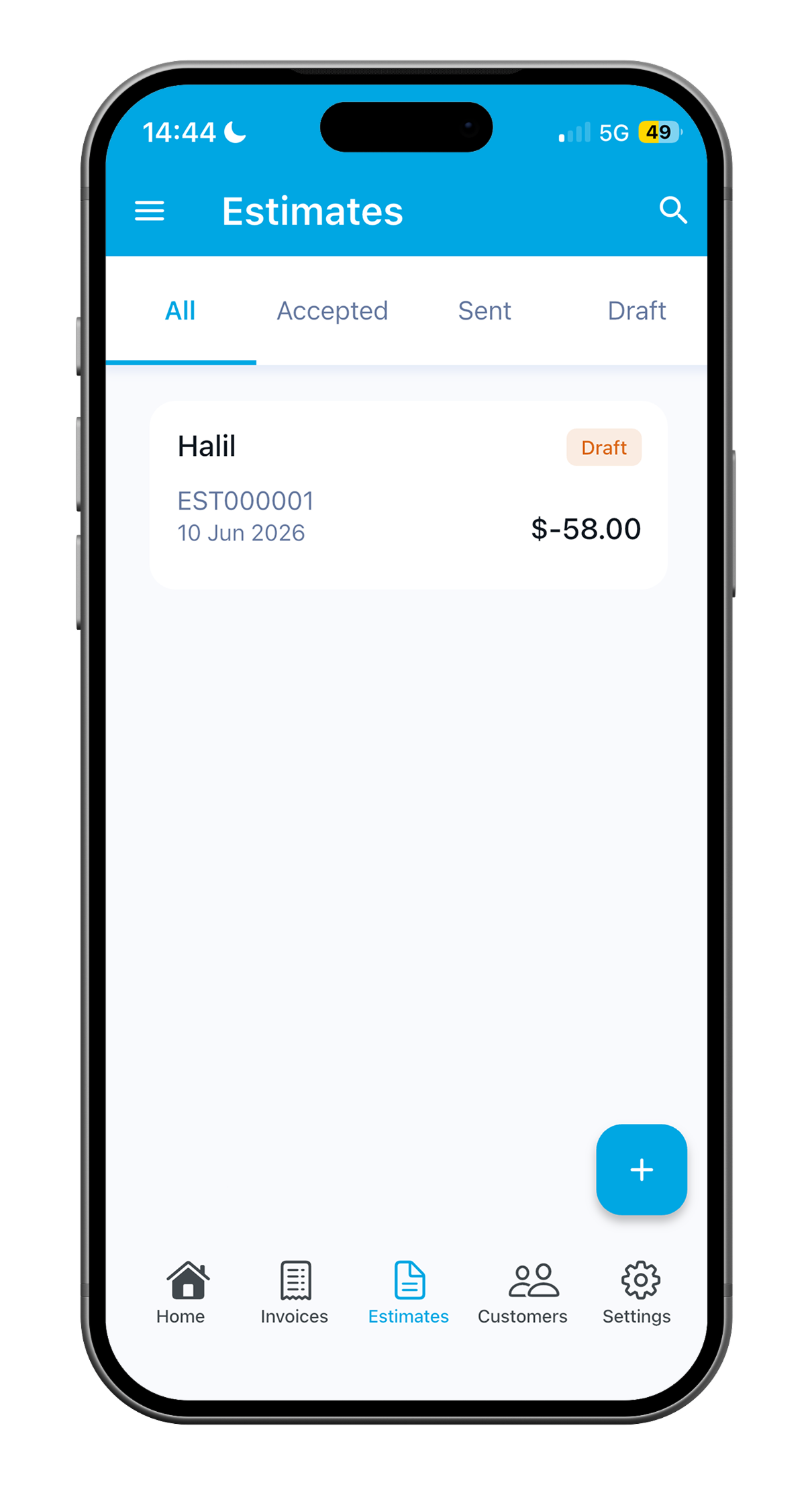
Prepare quotes before the client confirms the job.
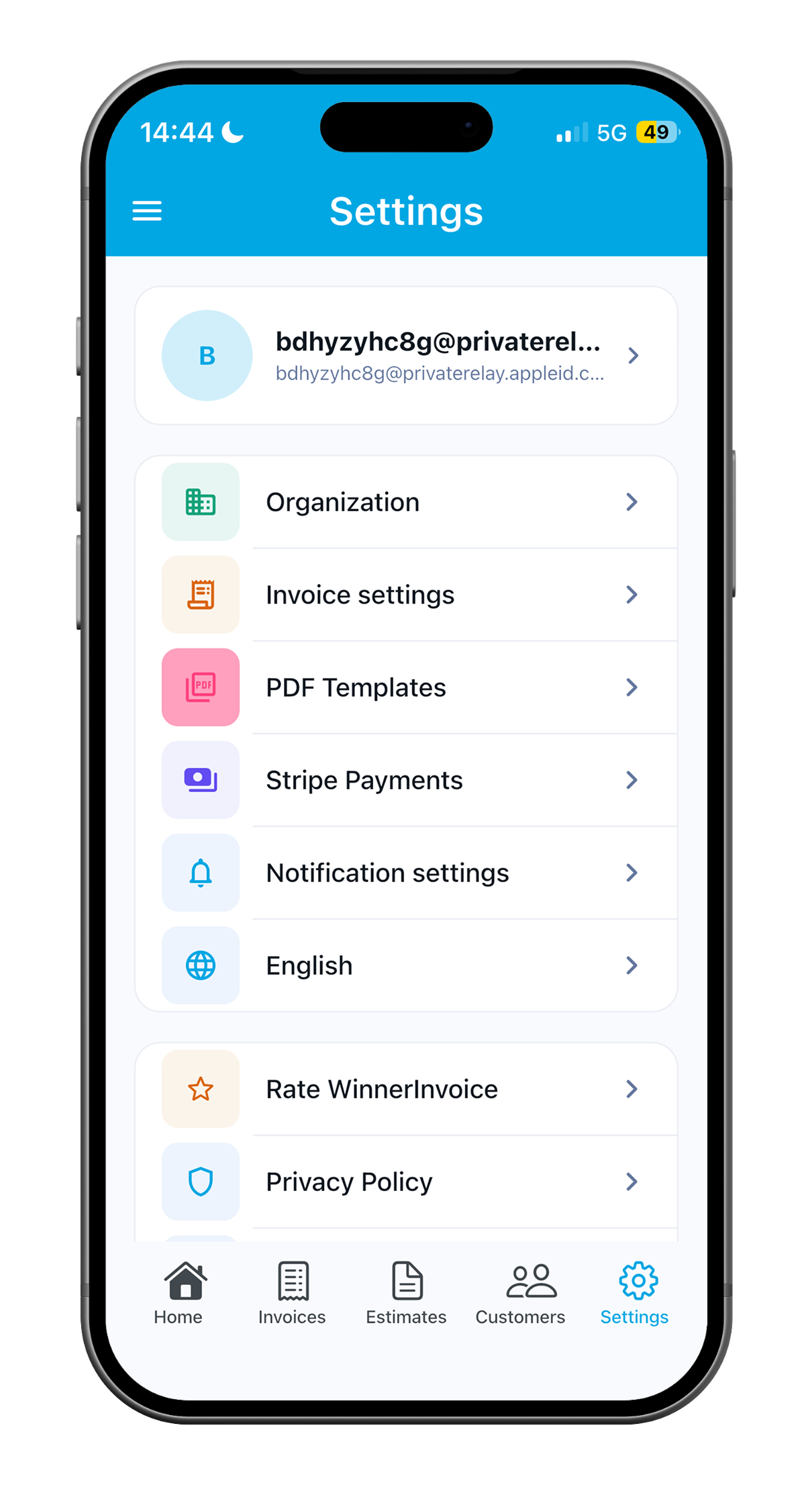
Review totals and document structure before sharing.
Use the channels field professionals already rely on.
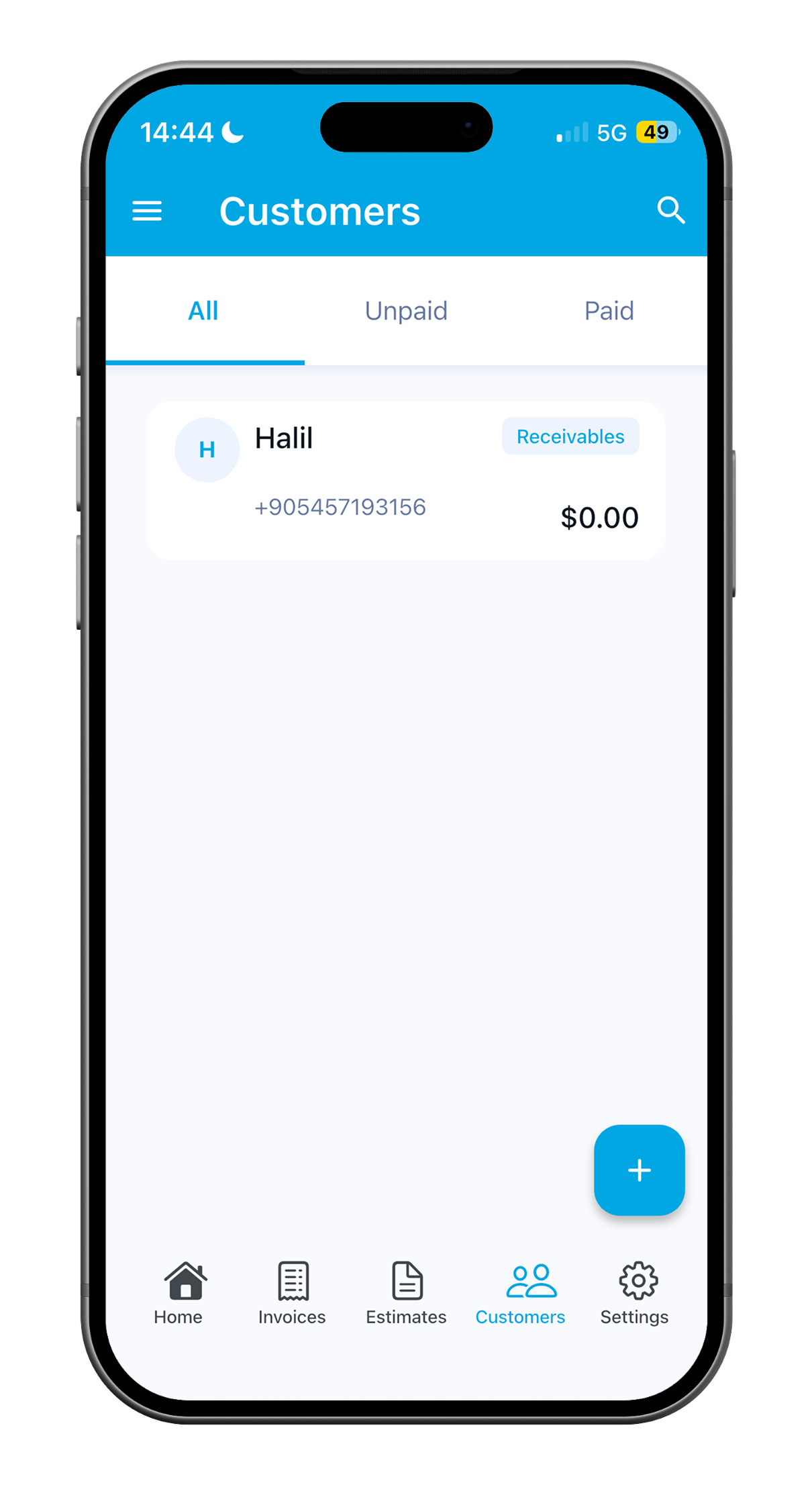
Repeat customer work becomes easier to document.
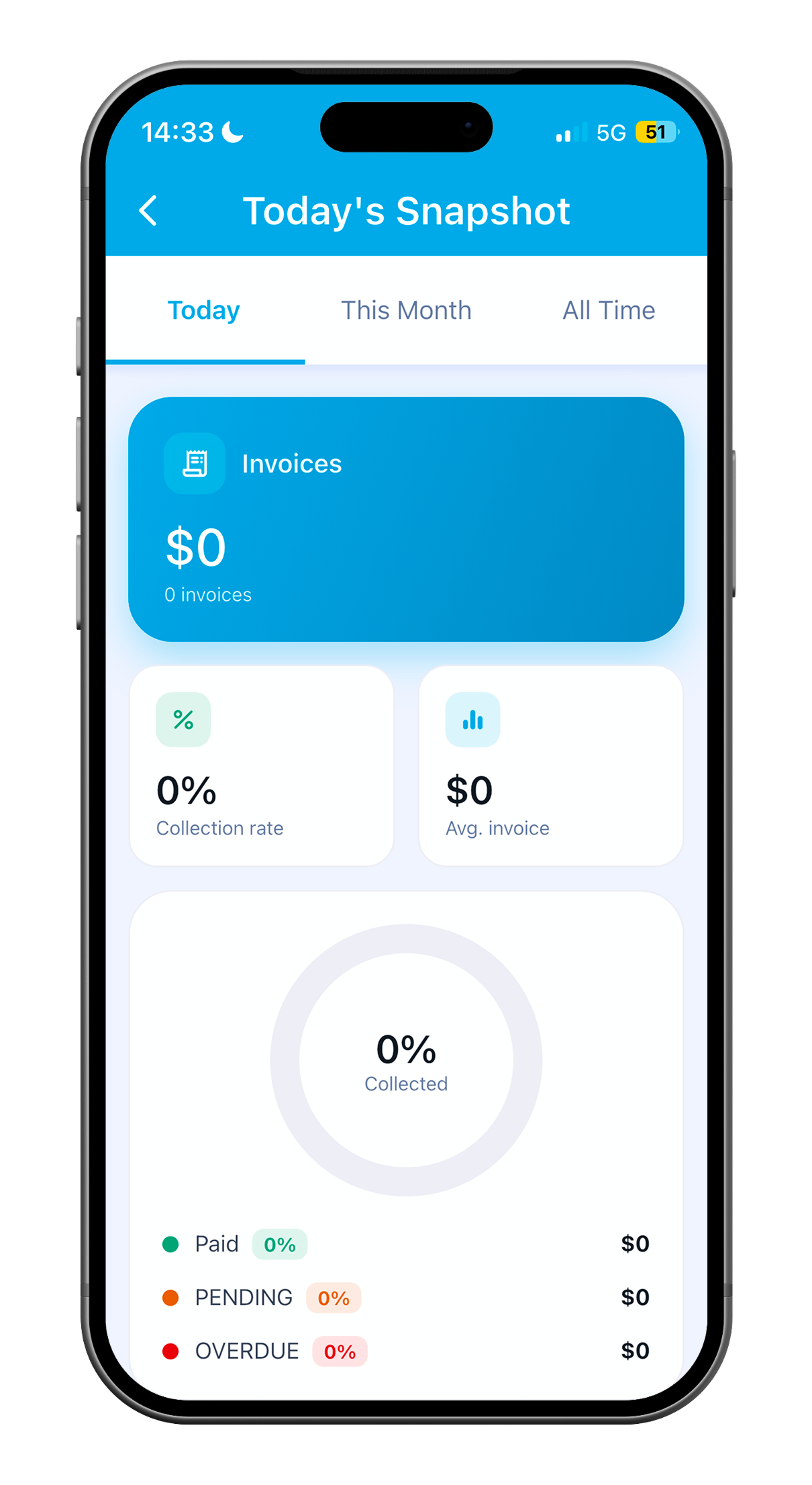
Track open, paid and draft documents without clutter.
Keep business visibility lightweight and actionable.
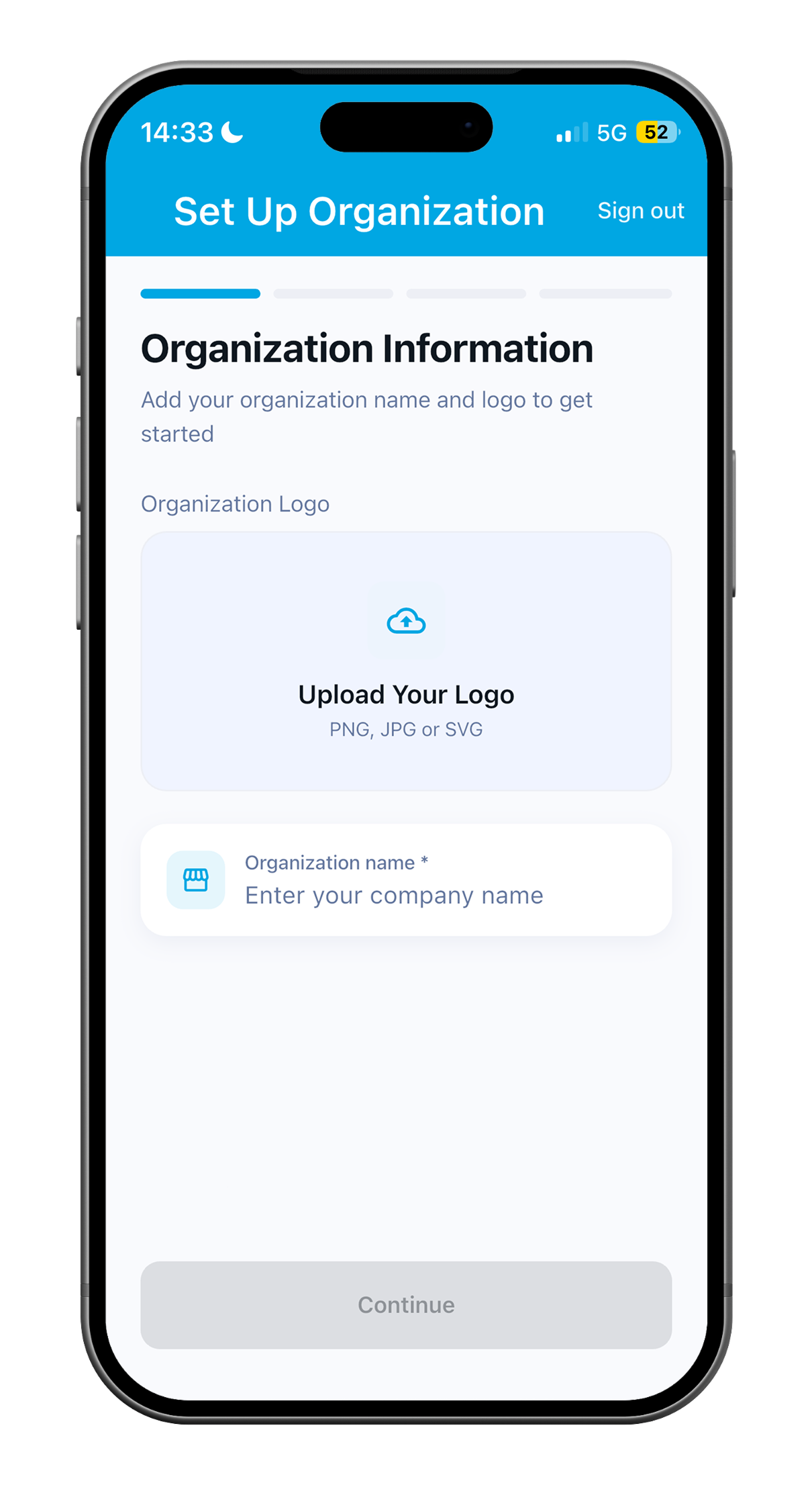
Add logo, brand color and cleaner client-facing templates.
Illustrative stories
The quotes below are illustrative examples for marketing—not verified customer reviews. For ratings from real users, see the App Store and Google Play listings when available.
“I can finish a repair visit, prepare the invoice and send the PDF before I leave the customer’s house.”
“Professional PDFs and WhatsApp sharing help me look organized without extra admin.”
“Offline drafts help on job sites where signal drops—I sync when coverage returns.”
“Turning estimates into invoices with one tap saves me retyping line items.”
“Clean invoices make hand-offs to customers clearer—I still follow up on payment in my usual way.”
“Simple, fast and reliable for the kind of jobs I run on site.”
How we compare
Large accounting suites win on breadth. Template tools win on familiarity. WinnerInvoice focuses on the mobile moment: invoice or estimate created, previewed and shared at the job site.
This table reflects our product positioning and typical field workflows—not independent benchmarks. Competitor capabilities change over time; verify fit for your business before switching tools.
| Feature | WinnerInvoice | Invoice2go | Invoice Simple | Bookipi | Zoho Invoice | QuickBooks | Spreadsheets |
|---|---|---|---|---|---|---|---|
| Mobile simplicity | |||||||
| Offline-first angle | |||||||
| WhatsApp-friendly sharing | |||||||
| Estimate to invoice | |||||||
| Lightweight for field pros | |||||||
| Professional PDF branding |
Commercial shape
Getting started
Show value to your team or clients before everyone commits to a paid plan—whether you work locally or across regions.
When you grow
Adds collaboration, premium templates, planned integrations and priority support options on paid tiers.
Start with a generous free tier or trial, then upgrade when you need deeper features and support.
Structured comparison
Feature emphasis versus typical manual paperwork
| Capability | Paper notes | WinnerInvoice |
|---|---|---|
| Offline friendly capture | Risky | Draft-first queues |
| Shareable PDF output | Scan / photo | Consistent layout |
| Client memory | Scattered inbox | Shared ledger |
| Multilingual multicurrency clarity | Error prone | Guided presets |
| Signup friction for demos | N/A | Optional demo onboarding |
Core features
Use saved services and customer details to create documents faster.
Taxes, totals and discounts are calculated instantly.
Branded PDFs help build trust and credibility.
Select previous customers instead of typing every time.
Reuse draft, customer and item data when work repeats.
WhatsApp, email or PDF export in one simple flow.
Product preview
Every screen is optimized to create, preview and share documents quickly. The interface emphasizes white space, clear hierarchy and blue action states anchored to WinnerInvoice branding.
~2 min
typical path from job details to PDF preview (varies by job)
Draft
keep working during weak connectivity
Quick
share through WhatsApp or email
Plain steps
Draft on the spot, check totals, sync when you are back online, and keep a clean PDF history for your records.
Store names, tax ids, languages, currency preferences and prior jobs so repeat visits stay fast.
Describe labour or materials, assign taxes, duplicate popular bundles, convert accepted quotes without retyping.
Review layout, export PDF, share through WhatsApp or email, keep offline copies until accounting ingests them.
Simple workflow
Add items, quantities and customer details.
Review the invoice or estimate before sending.
Send by WhatsApp, email or PDF export.
Monitor payment status and customer records.
Reuse saved clients and services for future jobs.
Personas
Repair technicians
Create a PDF after repairs without returning to the office.
Plumbers
Send estimates first, then invoice after approval.
Electricians
Use clean documents for residential and commercial jobs.
Freelancers
Send client-ready invoices without heavy accounting software.
Why it matters
Field pros save time when admin compresses into a mobile action.
Paperwork, weak signal and back-office tools slow users down.
Faster document hand-offs can help you close admin sooner and keep records tidy.
Clean PDFs and fast sharing help build stronger relationships.
One focused tool can be a better fit than overloaded suites for everyday field use.
Privacy & trust
We focus on plain product behaviour: local data, backup readiness, clear scope and no inflated compliance claims.
Business data stays organized in the app experience.
Export, restore and recover important work records.
Not a full accounting system. Just the mobile document flow users need.
Architecture
App Store & Play
Invoice, PDF, WhatsApp, payments and offline workflows—presented the way you expect in modern mobile business tools.
App Store & Play
Invoice & Estimate Maker
Business · Built for trades and small teams
Create
Fast, simple and built for field work.
Clean, branded documents customers can trust.
Share
Use the channels small businesses already use.
Track
See what is paid, open or draft.
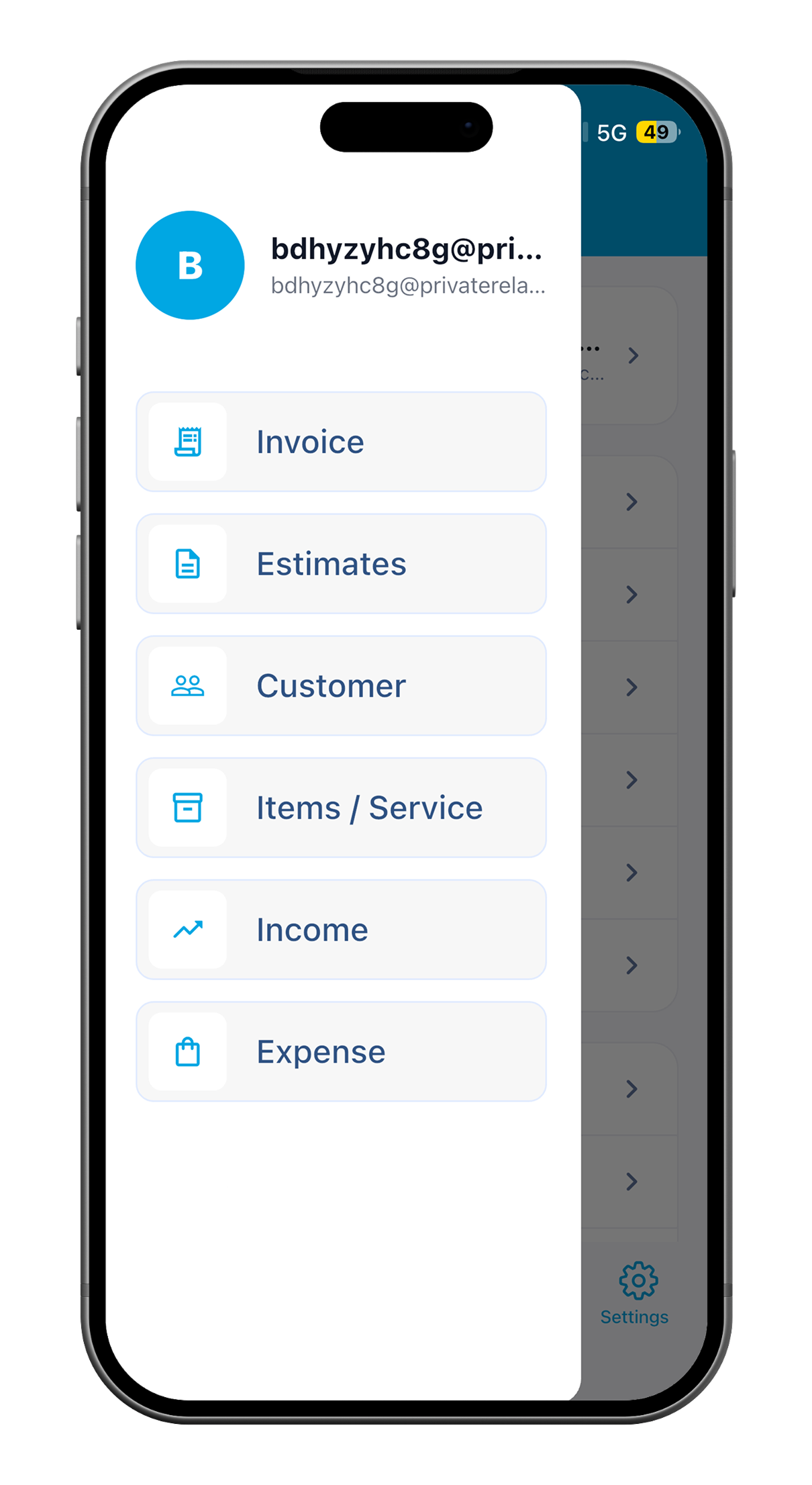
Offline
Keep creating documents even with weak signal.
Brand
Logo + colour palettes for richer brand equity.
Brand in action
Mobile App
Clear screens and simple steps from draft to send.
Store listings
Descriptions and visuals that match what you get in the app.
PDF Invoice
Professional documents customers can save and forward.
In the field
Built for vans, sites and on-the-go quotes.
Your business
Logo and colours that reflect your trade, not generic templates.
WinnerInvoice is a mobile invoice and baseline business-management application prioritising freelancers, micro businesses and tradespeople invoicing onsite with offline tolerant workflows.
Yes. Draft estimates and invoices offline; data sync resumes when connectivity returns so field teams avoid losing line items.
Yes. Export PDF previews and route them through WhatsApp or traditional email—the client receives a consistent branded document.
Yes. The app supports multiple languages and currencies with locale-aware formats. It does not replace professional tax or compliance advice for your country.
You can explore core flows before creating a full account, so you only sign up when you are ready.
Free and entry features move into paid plans as you need automation, premium templates, collaboration and higher limits—we keep paid tiers clear and predictable.
Use the contact form on this website, email app@icitech.com.tr, or the contact options in the App Store or Google Play listing.
Yes. You can create professional estimates on-site and convert them into invoices quickly when work is approved, without rebuilding line items manually.
Yes. WinnerInvoice branding surfaces let you tighten PDF artefacts with identifiable marks and colours so documents feel client-grade.
No. WinnerInvoice targets mobile invoice velocity, estimates and shareable artefacts—not exhaustive payroll, filings or multinational ledger replacement.
Use exports and backups that fit your business needs. WinnerInvoice does not claim third-party security certifications unless we publish them explicitly.
Apps
Download WinnerInvoice free to try—then upgrade when your workflow outgrows pen and paper.
Get the apps
If a store link is not available yet, that button stays hidden until it is added.
~2 min
typical path from job details to PDF preview (varies by job)
Draft
keep working during weak connectivity